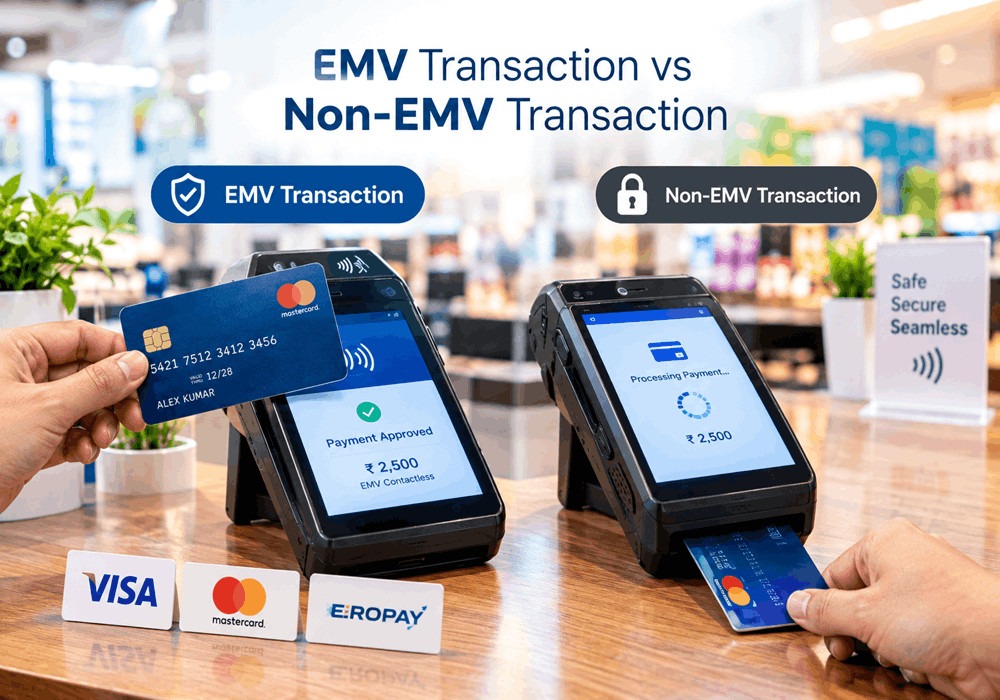
EMV (Europay, Mastercard, and Visa) technology has become the global standard for secure chip and contactless card payments. Every day, billions of EMV transactions are processed across POS terminals, SoftPOS applications, ATMs, self-service kiosks, transit validators, and unattended payment devices. While these transactions are designed to be secure and reliable, failures can occur due to issues with the payment card, terminal configuration, EMV Kernel, communication network, or issuer authorization.
When an EMV transaction fails, the terminal or payment application generates an EMV error code. These codes are more than simple decline messages they are diagnostic tools that help developers, certification engineers, banks, fintech companies, OEMs and payment solution providers identify the root cause of a transaction failure.
Whether you are integrating an EMV Contact Kernel, Contactless Kernel, Android POS application, or SoftPOS SDK, understanding these error codes is critical for reducing certification delays, improving transaction approval rates and delivering a seamless payment experience.
Develop a Fully Compliant EMV Kernel with End-to-End Expert Support Contact Us here.
What Are EMV Error Codes?
EMV error codes are standardized or vendor-specific response codes generated during different stages of an EMV transaction. They indicate whether the transaction was completed successfully or failed due to an issue with the card, terminal, EMV Kernel, application configuration, communication channel, or issuer.
Unlike generic payment decline messages, EMV error codes provide detailed technical insights that help developers and support teams quickly isolate problems and implement corrective actions.
For example:
- A missing Application Identifier (AID) may prevent the terminal from selecting the correct payment application.
- An expired Certification Authority Public Key (CAPK) can cause card authentication to fail.
- A communication error between the NFC reader and the contactless card may interrupt the APDU exchange.
- An issuer response may decline a transaction because of fraud detection or spending limits.
By understanding these responses, organizations can improve transaction reliability, reduce customer support requests, and accelerate EMV certification.
Why Understanding EMV Error Codes Is Important
For payment technology companies, every failed transaction has a cost. It can delay certification, increase support efforts, reduce customer confidence, and impact business operations.
A clear understanding of EMV error codes helps organizations:
- Reduce transaction failures
- Accelerate EMV Level 2 and Level 3 certification
- Simplify kernel debugging
- Improve payment terminal stability
- Enhance customer experience
- Minimize support costs
- Ensure compliance with EMVCo specifications
- Launch payment products faster
Whether you are developing a payment terminal, Android POS application, SoftPOS solution, ATM software, or transit payment system, effective error handling is essential for long-term success.
How an EMV Transaction Works
Before troubleshooting error codes, it’s helpful to understand the stages of an EMV transaction.
- Card Detection – The terminal detects an inserted chip card or contactless card.
- Application Selection – The terminal identifies a compatible Application Identifier (AID).
- Initiate Application Processing – The terminal exchanges data with the card.
- Read Application Data – Card information and security data are retrieved.
- Offline Data Authentication – The card’s authenticity is verified.
- Cardholder Verification (CVM) – PIN, signature, or no-CVM rules are applied.
- Terminal Risk Management – The terminal evaluates transaction risk.
- Terminal Action Analysis – The terminal decides whether to approve offline or request online authorization.
- Online Authorization – The transaction is sent to the issuer if required.
- Transaction Completion – The transaction is approved or declined.
An error at any of these stages generates a specific EMV error code, allowing developers to identify the affected component.
Categories of EMV Error Codes
Instead of memorizing dozens of individual error codes, it’s easier to classify them into logical categories.
- Transaction Status Errors: These indicate whether the transaction was approved or declined.
- Card Communication Errors: Occur when the card and terminal cannot exchange EMV data correctly.
- Application Selection Errors: Related to missing or unsupported AIDs during the application selection phase.
- Contactless & NFC Errors: Caused by NFC communication interruptions or contactless transaction issues.
- Security & Certification Errors: Typically involve CAPKs, certificates, kernel configuration, or EMV certification requirements.
- Issuer Response Errors: Generated by the issuing bank during online authorization.
- Payment Scheme-Specific Errors: Returned by card schemes such as Visa, Mastercard, American Express, Discover, or UnionPay.
Understanding these categories makes troubleshooting faster and more systematic.
Common EMV Error Codes and Their Meaning
|
Error Code |
Description |
Common Cause |
Recommended Action |
|
EMV_OK (0) |
Transaction successful |
No issue detected |
No action required |
|
ERR_EMVRSP (-1) |
Invalid EMV response |
Card communication problem |
Retry transaction and inspect APDU logs |
|
ERR_APPBLOCK (-2) |
Application blocked |
Card restriction |
Use another card or contact issuer |
|
ERR_NOAPP (-3) |
No matching AID |
Missing or unsupported application |
Verify AIDs and terminal configuration |
|
ERR_USERCANCEL (-4) |
User cancelled transaction |
Customer cancelled payment |
Restart transaction |
|
ERR_TIMEOUT (-5) |
Processing timeout |
Certification or communication delay |
Check logs and retry |
|
ERR_NOTACCEPT (-7) |
Issuer declined |
Fraud checks or issuer restrictions |
Contact issuer or verify authorization |
|
ERR_EMVDENIAL (-8) |
Card declined transaction |
Offline authentication failed |
Review card and kernel logs |
|
ERR_KEYEXP (-9) |
CAPK expired |
Outdated security keys |
Update CAPKs |
EMV_OK (0) – Operation Successful
The EMV_OK response indicates that the transaction was processed successfully from start to finish.
This means:
- The payment card was recognized correctly.
- The EMV Kernel completed application selection.
- Card authentication succeeded.
- Cardholder verification was completed.
- Risk management checks passed.
- Online authorization, if required, was approved.
Although no troubleshooting is required, organizations should continuously monitor approval rates across different terminals and payment environments. A sudden drop in successful transactions may indicate firmware, network, or configuration issues that require investigation.
ERR_EMVRSP (-1) – Invalid Card Response
This error occurs when the payment card does not return the expected EMV data during processing.
Common Causes
- Damaged or faulty EMV chip
- Weak contactless communication
- Corrupted APDU response
- Unsupported card profile
- Card removed too early
Troubleshooting Steps
- Retry the transaction.
- Ask the customer to reinsert or re-tap the card.
- Test the card on another certified terminal.
- Analyze APDU command and response logs.
- Verify that the EMV Kernel correctly parses TLV data.
For developers, reviewing transaction traces is often the fastest way to identify malformed responses.
ERR_APPBLOCK (-2) – Card Application Blocked
This error indicates that the selected payment application on the card has been blocked and cannot be used.
Possible Reasons
- Issuer security restrictions
- Expired application
- Card blocked due to suspected fraud
- Application lifecycle limitations
Recommended Solution
Since the restriction originates from the card or issuer, the customer should contact their issuing bank or use another payment method.
From a development perspective, verify that the terminal is selecting the correct application and that the EMV Kernel is processing application selection according to EMVCo specifications.
ERR_NOAPP (-3) – No Matching EMV Application Found
ERR_NOAPP is one of the most common issues encountered during EMV Level 2 certification and payment terminal integration.
The terminal cannot find a compatible Application Identifier (AID) on the card, preventing the transaction from proceeding.
Common Causes
- Missing AID configuration
- Unsupported payment scheme
- Incorrect RID configuration
- Outdated terminal parameters
- Transaction amount exceeding contactless limits (for certain schemes)
Troubleshooting Checklist
- Verify that all required AIDs are loaded.
- Confirm terminal support for Visa, Mastercard, RuPay, Amex, Discover, JCB, and UnionPay as applicable.
- Validate RID configuration.
- Reload terminal parameters.
- Perform regression testing after configuration updates.
Proper AID management is essential for successful EMV certification and interoperability across payment networks.
ERR_USERCANCEL (-4) – Transaction Cancelled by User
This error simply indicates that the cardholder intentionally cancelled the transaction before completion.
No technical issue is present. However, payment applications should clearly communicate the cancellation status and allow the transaction to be restarted without affecting terminal stability.
Common EMV Error Codes Explained: Complete EMV Kernel Troubleshooting
Contactless & NFC Communication Errors
As contactless payments continue to grow worldwide, Near Field Communication (NFC) has become a critical component of EMV payment acceptance. Unlike contact chip transactions, contactless payments rely on stable RF communication between the payment card (or mobile wallet) and the terminal.
Even a slight interruption during the EMV transaction can trigger NFC-related errors. These issues are especially common in SoftPOS applications, Android POS terminals, self-service kiosks, and transit payment systems.
Common Contactless EMV Errors
|
Error Code |
Description |
Common Cause |
Recommended Solution |
|
ERR_ICCRESET (-19) |
NFC interface reset |
Device NFC reset |
Restart NFC service and retry |
|
ERR_ICCCMD (-20) |
APDU communication failed |
Card moved too quickly or weak NFC |
Ask the customer to re-tap the card |
|
ERR_USECONTACT (-23) |
Contactless failed |
Card requests contact interface |
Insert the chip card |
|
ERR_USE_OTHER (-27) |
Contactless application unavailable |
Contactless profile not supported |
Use chip or magnetic stripe (if supported) |
|
ERR_NEED_REPEAT (-41) |
Re-tap required |
Incomplete NFC communication |
Hold the card steady until processing completes |
|
ERR_USEMAG (-49) |
Magnetic stripe detected |
Contactless interface unavailable |
Use the magnetic stripe only if permitted |
Best Practices to Reduce Contactless Errors
- Ensure the NFC antenna is functioning correctly.
- Ask users to keep the card steady until the transaction is complete.
- Test multiple card brands during development.
- Keep the contactless EMV Kernel updated.
- Validate Android device NFC compatibility for SoftPOS deployments.
APDU Communication Errors
Every EMV transaction relies on Application Protocol Data Unit (APDU) commands exchanged between the payment terminal and the card. If these commands fail, the EMV transaction cannot continue.
Common APDU-Related Errors
- ERR_EMVRSP (-1) – Invalid card response.
- ERR_EMVDATA (-6) – Incorrect EMV data returned.
- ERR_GPORSP (-26) – Invalid Get Processing Options (GPO) response.
- ERR_ICCCMD (-20) – APDU communication failure.
- ERR_NO_DF (-50) – Application selection failed because the Dedicated File (DF) was not found.
- ERR_GAC_6984 (-51) – Generate Application Cryptogram (GAC) command failed.
Developer Troubleshooting Checklist
- Review APDU request and response logs.
- Validate TLV (Tag-Length-Value) data.
- Check PPSE and AID selection.
- Verify GPO response structure.
- Ensure the EMV Kernel follows EMVCo specifications.
- Test using certified payment cards.
APDU log analysis is one of the most effective ways to identify transaction failures during EMV Level 2 certification.
AID Configuration Errors
The Application Identifier (AID) tells the terminal which payment application to use. If the correct AID is missing or incorrectly configured, the transaction cannot proceed.
Typical AID Errors
- ERR_NOAPP (-3)
- ERR_AID_FAILED (-45)
- ERR_NOTALLOWED (-38)
Common Causes
- Missing AID
- Unsupported card brand
- Incorrect RID
- Outdated terminal configuration
- Incorrect payment application priority
Best Practices
- Load all supported AIDs.
- Keep AID parameters updated.
- Verify payment scheme requirements.
- Test with Visa, Mastercard, RuPay, Amex, Discover, JCB, and UnionPay cards.
CAPK & Security Errors
Certification Authority Public Keys (CAPKs) are essential for validating issuer and card certificates during EMV transactions.
Outdated or incorrect CAPKs can cause authentication failures and certification delays.
Common CAPK Errors
|
Error |
Description |
|
ERR_KEYEXP (-9) |
CAPK expired |
|
ERR_CAPKCHECKSUM (-12) |
CAPK checksum mismatch |
|
ERR_OVERFLOW (-15) |
Maximum CAPKs exceeded |
Troubleshooting
- Download the latest CAPKs.
- Remove expired certificates.
- Verify checksums.
- Reload terminal parameters.
- Perform regression testing.
CAPK maintenance should be part of every payment terminal lifecycle management process.
Consumer Card Errors
Not every transaction failure originates from the payment terminal. In many cases, the payment card itself is responsible.
Common Consumer Card Errors
|
Error Code |
Description |
|
ERR_BLACKLIST (-25) |
Card is blacklisted |
|
ERR_APPEXP (-24) |
Card application expired |
|
ERR_ICCBLOCK (-21) |
Card communication blocked |
|
ERR_ICCNORECORD (-22) |
Required record missing |
|
ERR_LASTREAD (-28) |
Final record could not be read |
|
ERR_NOBALANCE (-46) |
Electronic cash balance unavailable |
Recommended Actions
- Ask the customer to use another payment method.
- Verify the card with another certified terminal.
- Check whether the issue occurs across multiple devices.
- Review EMV logs to confirm the failure is card-related.
Brand-Specific EMV Kernel Errors
Each payment network defines additional kernel-specific responses during certification and transaction processing.
American Express
Examples include:
- AMEX_EMV_TRANS_ERROR
- AMEX_EMV_CONFIG_PARAM_ERR
- AMEX_EMV_OPEN_AMEX_ERR
- AMEX_EMV_INIT_TRANS_ERR
- AMEX_EMV_RECOVER_IPK_ERR
These errors usually relate to configuration, public key validation, or kernel initialization.
Discover
Discover-specific errors include:
- DISCOVER_EMV_CONFIG_PARAM_ERR
- DISCOVER_EMV_KERNEL_DATA_ERR
- DISCOVER_EMV_KERNEL_DECLINED
- DISCOVER_EMV_KERNEL_TRY_AGAIN
- DISCOVER_EMV_KERNEL_TRY_ANOTHER_INTERFACE
Developers should refer to the relevant payment scheme specifications and certification test cases when resolving these issues.
EMV Level 2 Certification Troubleshooting
EMV Level 2 certification validates that the EMV Kernel correctly processes chip and contactless transactions according to EMVCo requirements.
Common causes of certification failure include:
- Missing AIDs
- Incorrect CAPKs
- Invalid TLV data
- APDU communication failures
- Incorrect Terminal Action Codes (TAC)
- Risk management configuration errors
- Contactless kernel issues
- Application selection failures
EMV Level 2 Certification Checklist
- Validate all AIDs.
- Verify CAPKs and expiration dates.
- Test contact and contactless transactions.
- Review APDU logs.
- Validate Terminal Verification Results (TVR).
- Check Transaction Status Information (TSI).
- Perform regression testing after every software update.
- Test across multiple payment schemes and card profiles.
A disciplined certification process reduces deployment risks and improves transaction success rates in production.
Best Practices to Reduce EMV Transaction Errors
Organizations can significantly improve transaction reliability by following these recommendations:
- Keep the EMV Kernel updated.
- Regularly update CAPKs and AIDs.
- Validate terminal parameters before deployment.
- Perform comprehensive EMV regression testing.
- Monitor transaction logs and approval rates.
- Ensure stable network connectivity.
- Test multiple card brands and transaction scenarios.
- Use a Terminal Management System (TMS) for remote updates and monitoring.
- Maintain compliance with the latest EMVCo specifications.
At EazyPay Tech, we specialize in helping payment technology companies design, integrate, certify, and maintain secure EMV payment solutions.
Our expertise includes:
- EMV Kernel ( Contact & Contactless) Development
- EMV Certification ( Level 1, Level 2 & Level 3)
- Android POS Application Development
- SoftPOS SDK Integration
- Payment Terminal Software Development
- EMV Transaction Debugging
- APDU Log Analysis
- CAPK & AID Configuration
- Terminal Management System (TMS)
- NCMC & Transit Payment Solutions
- Payment Application Integration & Customization
Whether you’re an OEM, bank, fintech company, payment service provider, acquirer, or terminal manufacturer, our engineering team helps reduce certification timelines, resolve complex EMV issues, and accelerate product launches.
EazyPay Tech provides end-to-end support for EMV Kernel Development, EMV Level 1/2/3 Certification, SoftPOS Integration, Android POS Development, Terminal Software, and Payment Application Engineering.
Whether you’re developing a new payment terminal, upgrading an existing platform, or preparing for EMV certification, our experts are ready to help you reduce development risks and deliver secure, interoperable payment solutions.
📩 Contact EazyPay Tech today to discuss your EMV Kernel, certification, or payment software requirements and bring your next-generation payment solution to market faster.
An EMV error code identifies the reason a chip or contactless transaction failed during processing, helping developers and support teams troubleshoot payment issues.
It occurs when the terminal cannot find a compatible Application Identifier (AID) on the payment card.
This error indicates that the Certification Authority Public Key (CAPK) has expired and must be updated.
They are typically caused by poor NFC communication, damaged cards, interrupted transactions, or incorrect EMV Kernel implementation.
Maintain updated CAPKs and AIDs, validate terminal parameters, analyze transaction logs, and perform comprehensive EMV Level 2 regression testing.
Building reliable payment solutions requires more than passing certification it demands robust EMV Kernel implementation, continuous testing, and expert troubleshooting.