
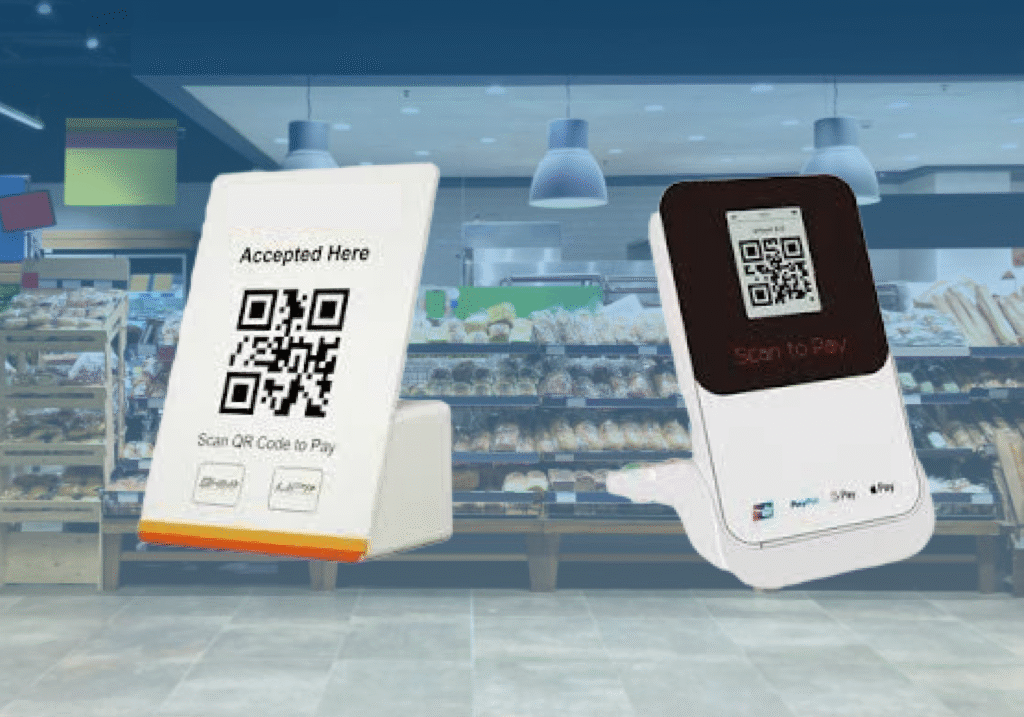
Over-The-Air (OTA) updates are a critical feature in any Terminal Management System (TMS)-controlled Payment soundbox ecosystem. This capability allows technical teams to remotely push updates whether firmware, application-level code, or security enhancements without ever physically retrieving the device from the field. With upi soundboxes deployed in diverse and often remote merchant locations, OTA drastically improves scalability, support efficiency, and system reliability.
Types of OTA Updates in Soundbox Devices
1. Firmware/Application OTA Updates
- Enhancement of Merchant-Facing Functionalities: This includes updates to software modules responsible for UPI QR code scanning, voice playback, volume control, transaction alert modules, or connected mobile app interfaces.
- Integration with New Payment Methods: As the payment landscape evolves, Application OTA enables the addition of features like NFC support, Tap-to-Pay functionality, or biometric authentication.
- UI/UX Improvements for Devices with Displays: In soundboxes equipped with LED or LCD screens, these updates can refresh the user interface, add multilingual support, or introduce animation for payment confirmations.
2. Security Patches and Compliance Updates
- Addressing Known Vulnerabilities: When exploits are identified in the firmware or application layer, OTA security patches provide an immediate way to mitigate risks across all active devices.
- TLS & Encryption Library Updates: This includes upgrading to newer versions of SSL/TLS protocols, patching OpenSSL vulnerabilities, and rotating root certificates for trusted communication.
- Enhancements to Secure Boot and Runtime Protections: OTA updates can enable or strengthen secure boot processes, application sandboxing, and device integrity monitoring, ensuring protection against tampering or malware.
End-to-End OTA Update Process Flow in TMS
Step 1: Firmware/Application Package Upload
The technical team prepares a signed firmware or app bundle and uploads it to the TMS backend via a secured admin portal, including metadata like version number, device compatibility, and change logs.
Step 2: Periodic Device Check-In
Soundboxes configured with a TMS client ping the server at predefined intervals (e.g., every 4-6 hours) to check for available updates.
Step 3: Conditional Update Delivery
If the TMS detects that the device firmware version is outdated or a security patch is pending, it triggers the delivery of the update package to the device.
Step 4: File Download and Verification
The soundbox downloads the OTA package and performs a checksum or digital signature verification to ensure the integrity and authenticity of the file. Corrupted downloads are discarded and reattempted.
Step 5: Update Application and Reboot
Once validated, the device enters update mode, installs the firmware or application patch, and reboots safely into the new version, ensuring minimal interruption to merchant services.
Key Benefits of OTA for Soundbox Management
Zero Physical Servicing Required: Updates can be deployed remotely to thousands of devices, removing the need to physically collect or manually flash each soundbox, especially in Tier 2, Tier 3 cities, or rural areas.
Fleet-Wide Standardization: OTA ensures that all devices run on uniform software versions, simplifying debugging, customer support, and audit processes. Consistency improves overall system behavior and reliability.
Faster Rollout of Regulatory or Scheme Compliance: Whether it’s a new RBI mandate, PCI DSS requirement, or payment scheme (NPCI, Visa, RuPay) update, OTA allows compliance changes to be rolled out instantly across the ecosystem.
Minimizing Device Downtime: By resolving bugs or glitches quickly, OTA updates help reduce transaction failures and device malfunctions, ensuring business continuity for merchants.
Extended Device Lifespan: By keeping firmware and software up to date, even older soundbox models can continue operating efficiently, delaying the need for hardware upgrades and reducing total cost of ownership (TCO).
Logs and Diagnostics: Real-Time Monitoring of Payment Soundbox
In a cloud-managed soundbox ecosystem, logs act as the digital audit trail of every action, transaction, and system event. Through the Terminal Management System (TMS), these logs can be remotely retrieved, visualized, and analysed to support real-time diagnostics, performance benchmarking, and predictive maintenance.
Whether it’s troubleshooting a failed payment alert or analysing device downtime patterns, logs offer deep visibility into device behaviour, making them one of the most powerful tools for support engineers, product teams, and network administrators.
Types of Logs Captured by the TMS
Transaction Logs
- Comprehensive Payment History Tracking: Each transaction generates a detailed log containing the timestamp, transaction ID, transaction amount, and the payment outcome (success, failure, or timeout).
- Application Source Metadata: Logs also include the payment app used for the transaction, such as GPay, PhonePe, Paytm, BHIM, or bank-specific UPI apps—helping identify app-specific errors or compatibility issues.
- Use Case: When merchants report discrepancies or missed alerts, transaction logs serve as the first source of truth for validation and resolution.
Connectivity Logs
- Real-Time Network Diagnostics: These logs continuously monitor signal strength, data latency, and network registration status—key indicators of device connectivity.
- Last Ping and Heartbeat Tracking: Logs record the exact timestamp when the device last communicated with the cloud, helping detect when and where it went offline.
- SIM and Network Error Detection: Logs and Use Case: If a soundbox appears offline, support teams use connectivity logs to determine if the issue stems from SIM signal loss or power failure.
Voice Playback Logs
- Voice Notification Confirmation: These logs capture whether a payment confirmation or system message was successfully played through the speaker.
- Audio Quality Metrics: Tracks whether the sound was audible, distorted, muted, or played at very low volume, using device feedback and error codes.
- Use Case: When merchants claim the device didn’t announce a payment, support can analyse voice logs to confirm whether the voice engine was triggered and if playback occurred as expected.
Device Error Logs
- Application Crash Reports: Logs contain detailed data on app-level exceptions, crashes, or hangs, pinpointing the exact module or thread where failure occurred.
- Hardware Fault Detection: Reports malfunctions in hardware components such as battery unit, speaker, microphone, SIM slot, charging port, or MCU (microcontroller).
- Thermal or Power Faults: Some logs also capture issues like overheating, battery over-drain, or power cut-off, which are essential for devices in extreme environments.
- Use Case: When devices become unresponsive or frequently restart, error logs help isolate the root cause whether it’s faulty firmware, power issues, or hardware damage.
OTA (Over-The-Air) Update Logs
- Update Lifecycle Tracking: Captures each stage of firmware or application update download initiated, file verification passed/failed, update completed, or aborted.
- Version History Logs: Maintains a historical record of all firmware versions and application patches applied on the device, enabling traceability and rollback when needed.
- Error Code Logs: Any update failures are logged with detailed error codes, timestamps, and retry attempts, aiding in troubleshooting deployment issues.
- Use Case: When a new feature fails to activate or a device shows inconsistent behaviour post-update, OTA logs help determine if the update process was interrupted, corrupted, or incomplete.
Real-Time Use Cases Enabled by TMS Logging
- No Sound Notification Issue: If a merchant reports that no sound was played after a UPI payment, the support team checks voice logs to verify if the voice alert was triggered and if the speaker functioned correctly.
- Payment Discrepancy or Unacknowledged Alert: In cases where the merchant claims a payment was made but not acknowledged, transaction logs are reviewed to confirm receipt, timestamp, and app used for accurate dispute resolution.
- Offline Device Troubleshooting : If a soundbox goes offline unexpectedly, TMS teams examine connectivity and power logs to determine if the issue stems from SIM signal failure, dead battery, or loss of internet connectivity.
- Post-Update Anomalies: If multiple devices behave abnormally after an OTA rollout, logs from affected units are analyzed to check if the update failed, skipped, or led to firmware incompatibility.
- Battery Drain Complaints: In case of unusually fast battery drainage, power-related error logs help trace whether it’s due to overuse, hardware degradation, or software malfunction.
Benefits of Real-Time Logging in Payment Soundboxes
- Faster Support Turnaround: Logs offer a complete picture of device behavior, enabling support agents to resolve issues in minutes rather than days.
- Proactive Device Maintenance: Historical log trends help in identifying devices at risk of failure, enabling pre-emptive replacements or updates.
- Reduced Field Visits: With real-time remote diagnostics, most issues can be solved without dispatching a technician, drastically reducing operational costs.
- Improved Merchant Trust: Quick and accurate issue resolution enhances merchant confidence and ensures they remain satisfied with the soundbox service.
- Data-Driven Optimization: Long-term log data is used to refine firmware, optimize connectivity logic, and improve voice alert algorithms.